
How to Collect Photos From Wedding Guests (Without Awkward Links)

Tired of chasing guests for photos after the wedding? Here's a simple, no-app-required way to collect every candid shot from your big day.
Why Collecting Guest Photos Is Harder Than It Sounds
Your photographer will get the polished shots — the first look, the vows, the golden-hour portraits. But they won't catch everything. The best man's terrible dance moves. Your grandma laughing so hard she has to sit down. The candid moment between your cousins at table 12 that nobody planned but everyone will remember.
Those moments live on your guests' phones. And getting them off those phones and into your hands is a surprisingly common headache for newlyweds.
The Problem With Old-School Methods
Most couples try one of a few standard approaches, and most of them quietly fail:
- A shared Google Drive or Dropbox link — guests forget to upload, the link gets buried in a group chat, or half your guests aren't comfortable installing a file-sharing app just for one event.
- A wedding hashtag on Instagram — this only captures photos people choose to post publicly, which is a small fraction of what was actually taken. Private, unedited, unfiltered shots never make it to you.
- Asking people to "just send them over" — this relies on guests remembering, weeks later, to go through their camera roll and text you photos. Most won't.
The common thread is friction. Every extra step — downloading an app, remembering a link, doing it later instead of now — cuts your response rate.

What to Look For in a Better Solution
If you're planning ahead (smart move), here's what actually matters when choosing how to collect photos from your wedding guests:
- No account required. Guests shouldn't need to sign up for anything to contribute a photo.
- Works on any phone. Not every guest has the latest iPhone, and not everyone wants to install a new app for one event.
- A clear moment to say "take a photo now." Passive collection (like a hashtag) always underperforms an active nudge.
- A single place for everything. You want one gallery, not a scattered mix of texts, DMs, and cloud folders.
This is exactly the gap that disposable-camera-style apps like Camvi were built to fill — they turn "please send me your photos" into something guests actually do in the moment, without thinking about it.
How to Collect Wedding Photos From Guests, Step by Step
1. Choose a Tool Guests Can Use in Seconds
The lower the barrier, the higher your response rate. Look for a tool guests can join by scanning a QR code or entering a short code — no app download, no account, no password. A web version that works straight in the browser means even guests with older phones or limited storage can join without friction.
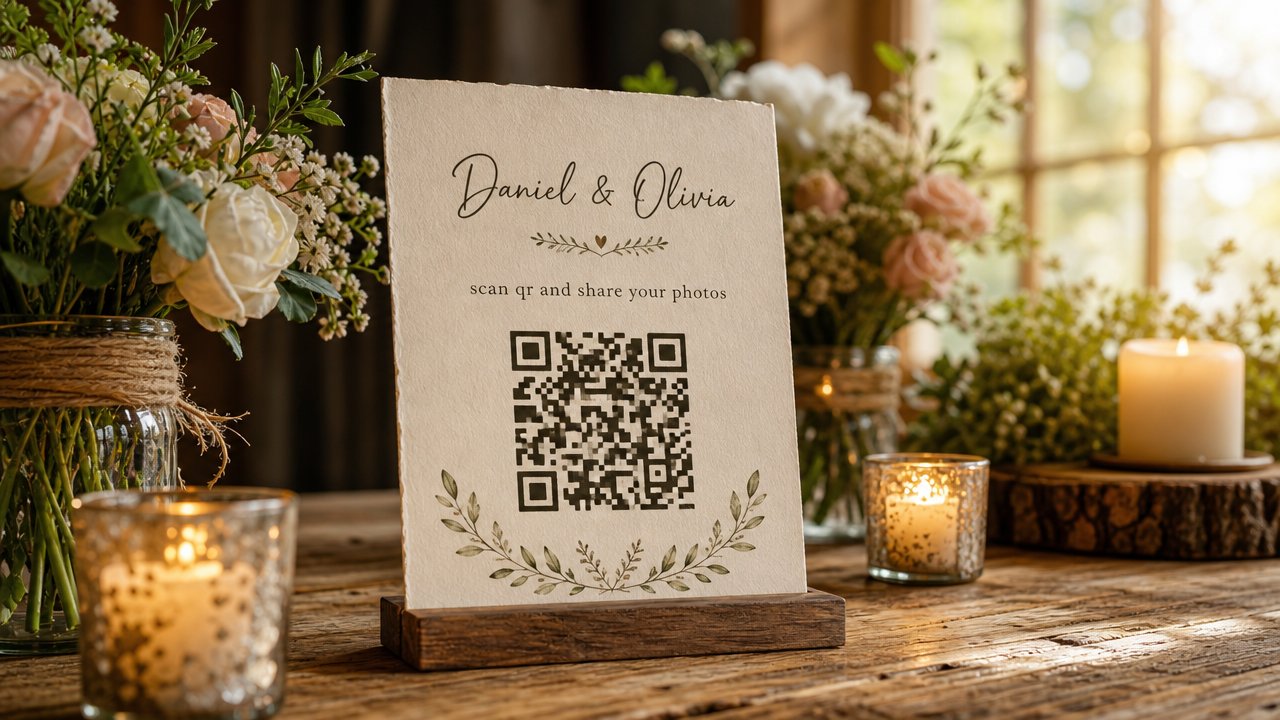
2. Share the QR Code at the Right Moments
Timing matters more than most couples expect. Put the QR code somewhere guests will naturally see it at the moment they're likely to take a photo:
- On the welcome table or programs, so it's visible from the start.
- On table cards during the reception.
- Announced quickly by the MC or DJ before the dancing starts — this is often when the best candid photos happen.
A quick 10-second announcement ("scan the code on your table to add photos to our gallery!") tends to get far more participation than relying on people to notice a small QR code on their own.
3. Decide When You Want to See the Photos
One underrated feature of disposable-camera-style apps: you can choose when photos are revealed. Some couples want to see everything as it comes in during the party. Others prefer the surprise of unlocking the whole gallery the next morning — it recreates that old feeling of picking up developed film and seeing the day all at once.
There's no wrong answer here, but it's worth deciding in advance so you can set expectations for your photographer or planner too.
4. Download and Organize Everything After
Once the event wraps, you'll want an easy way to get every photo out in one batch — not photo by photo. Look for a tool that lets the organizer download the full gallery as a ZIP file, so you're not manually saving hundreds of images one at a time.
Tips for Getting More Guests to Actually Participate
A few small things noticeably increase how many guests join in:
- Set a photo limit per guest. It sounds counterintuitive, but a limited number of shots (like a real disposable camera) makes people more intentional about what they capture — and more likely to actually take the photo instead of scrolling past.
- Repeat the instructions once. One announcement often isn't enough — guests arrive at different times, and a quick reminder mid-reception catches people who missed it earlier.
- Make it visible, not just available. A QR code buried in a corner gets ignored. One on every table gets scanned.
If you're working with a wedding planner or day-of coordinator, this is also worth handing off to them — check out Camvi for professionals if you want them to manage the setup for you.

FAQ
Do guests need to download an app to share photos?
No — guests can join by scanning a QR code and using the camera straight from their web browser. No account or app install is required, though an iOS app is also available on the App Store for anyone who prefers it.
How many photos should I let each guest take?
There's no universal rule, but many couples find a moderate limit (rather than unlimited) encourages guests to be more thoughtful about each shot, similar to how a real disposable camera works.
Can I see photos during the wedding or only after?
Both are possible — you can choose to reveal photos in real time as guests take them, after the event ends, or at a specific scheduled time, depending on what kind of experience you want.
What if a guest doesn't have a smartphone?
This is one edge case worth planning for separately — most solutions rely on guests having a phone with a camera and browser, so a backup disposable camera on tables can still be a nice supplement for those who don't.
Is this only for weddings?
Not at all — the same approach works well for birthdays, corporate events, and parties. See how it works for different events.
Want to make sure every candid moment from your big day actually makes it into your hands? Try Camvi for your wedding — guests join in seconds, no app required.